

Run your whole FiveM server from one place
See who is on, take reports from in game, and keep a record of every player. Your staff get the powers you decide, and every decision is written down.
No card to start. One resource on your game server, and your staff get the whole of it.
Reads your framework directly — whichever one you run, and standalone
What you get
Mission control for your whole server
One resource in your game server, one place your staff work, and every tile below is a screen they already have on the first day.
Live view
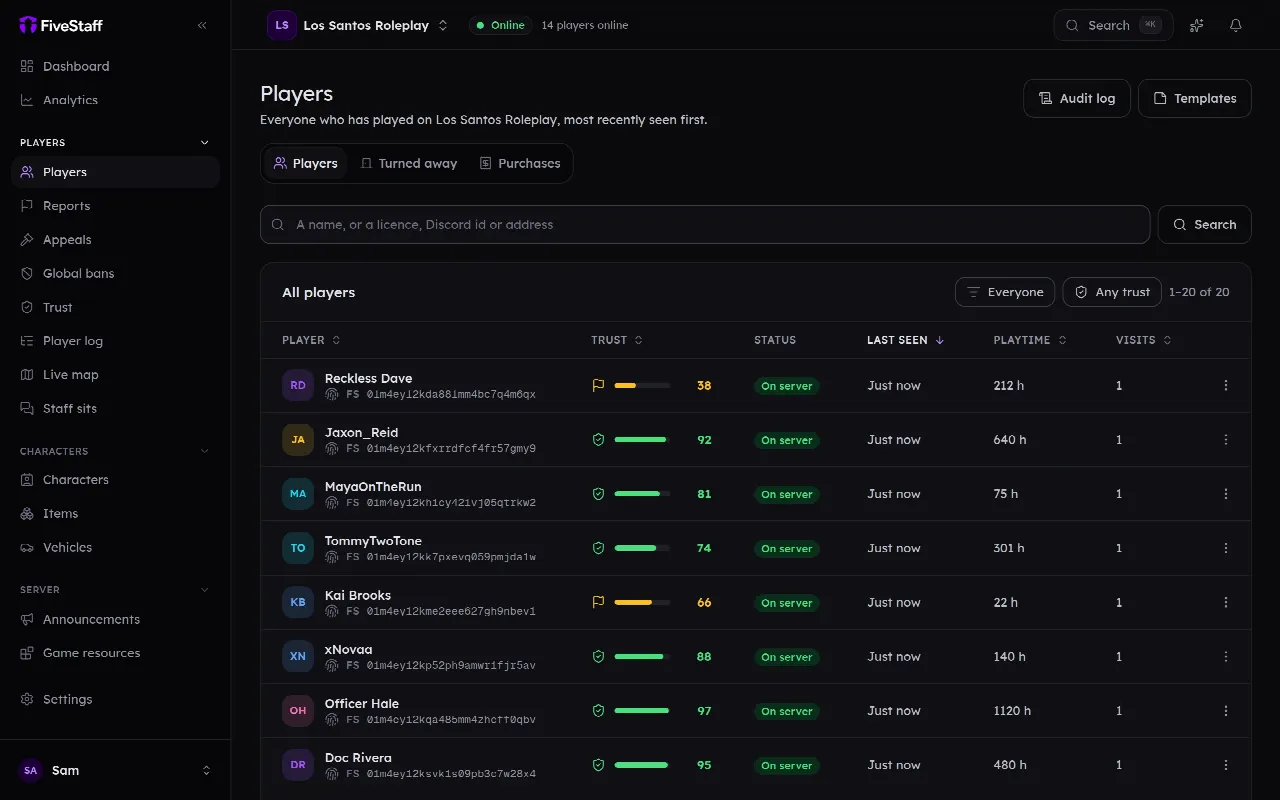
Everyone who is on, on one map
Pick somebody out of it and go straight to their record — or watch their game and talk to them.
Reports
They report it without leaving the server
/report …
It arrives with the fifteen minutes before it and a screenshot of the reported player.
Frameworks
7
frameworks read directly — characters, money and vehicles, with your inventory resource detected separately.
-
 QBCore
-
 Qbox
-
 ESX
-
 TMC
-
 vRP
- ox ox_core
- ND ND_Core
Player records
One page per player, and it remembers longer than your staff do
Built the first time somebody connects and kept whether they come back or not. A new account on a licence you have banned is not a new player.
On a phone
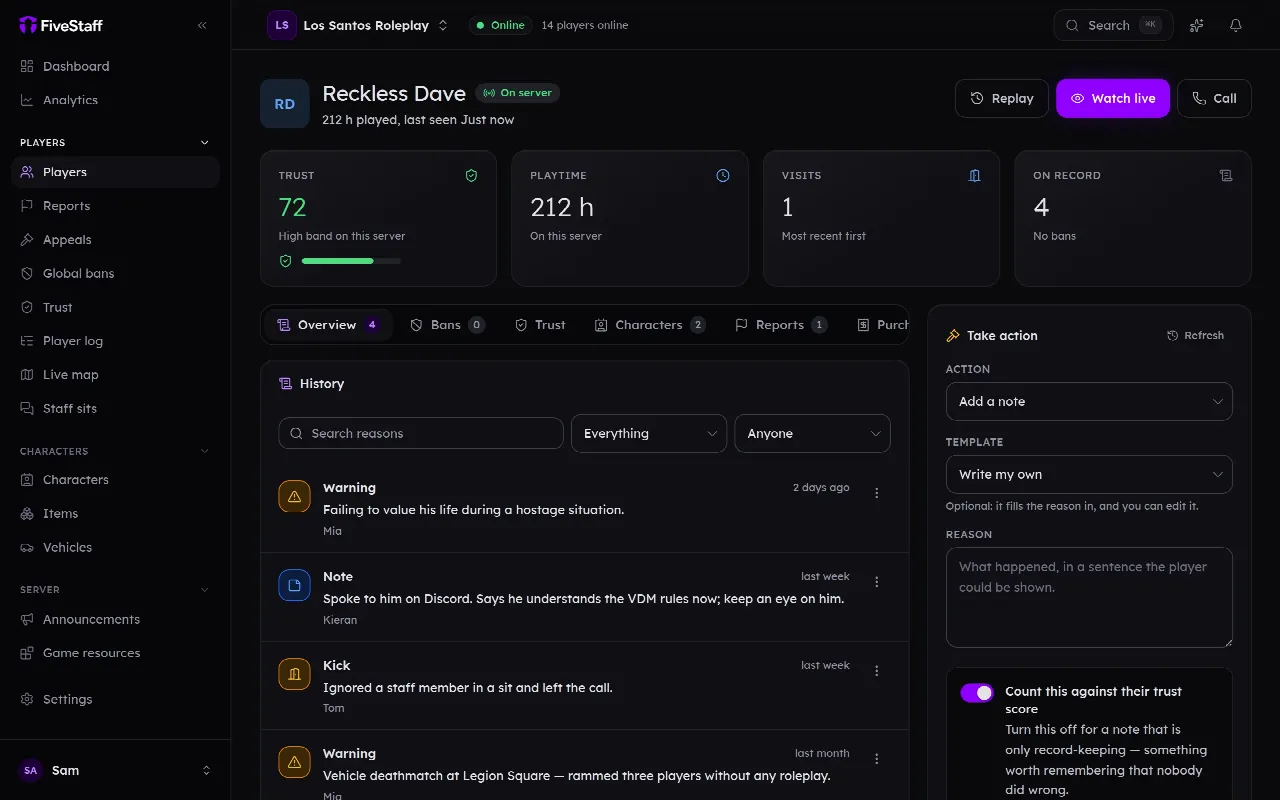
Servers need staff at the hours staff are not at a desk
iOS and Android apps that do what the panel does, including watching a player's game and talking to them.
Bans and appeals
One ban, every account they have — and it holds when we are down
Your game server keeps its own copy of the list, and the resource ships with one inside it. Appeals go to a separate site, so nobody has to be in your Discord to appeal.
Trust score
A score out of 100, with the bands you set
Player log and alerts
Write the rule once, stop reading log channels at 2am
when money added > 50,000
within 10 minutes
→ tell me, with the run-up
Discord
It lives where your team already is
One button adds the bot. Then you pick channels from a list instead of pasting IDs, and your existing staff roles decide who can do what.
The toolbox
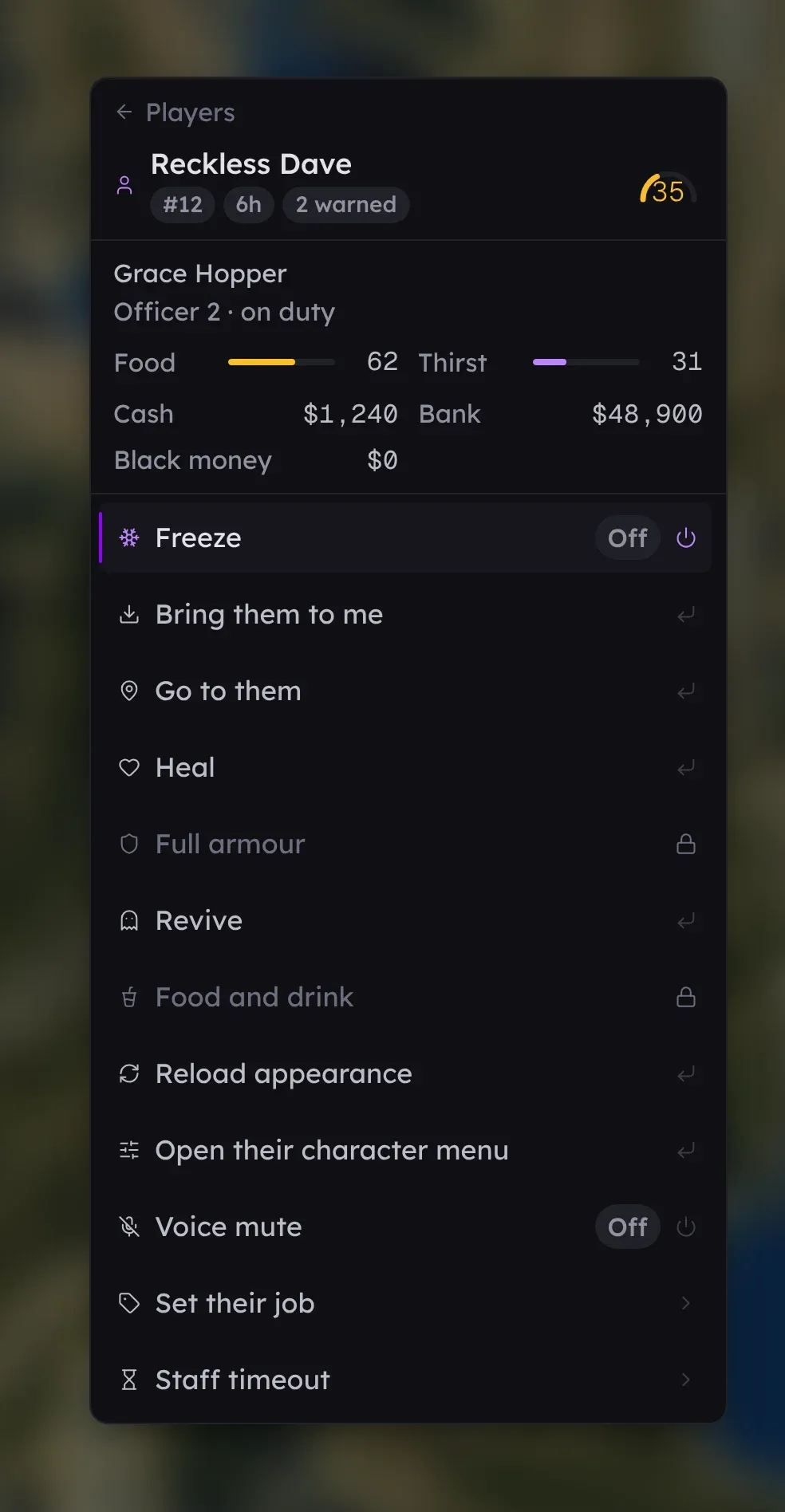
The power tool, and it only holds what you gave them
Your staff do the same twenty things all shift. One key in game puts them four presses away — freeze, heal, bring, time out, the car somebody is in, the weather — and every person opens a different menu, because the panel builds it out of the role you wrote.
- Nobody needs the server console Dealing with a player should not mean handing somebody the resource list and the restart button. This is player management on its own: your moderators get what they need to do the job, and nothing that runs your server.
- 95 separate permissions behind it Tick what a role may do and the menu they open in game is that list. A row they do not hold comes down greyed with the reason rather than hidden — and the check runs again when it is pressed, so a modified client gains nothing.
- As many roles as your server actually has No cap and nothing charged per role, so the trial moderator, the event team and whoever writes your scripts can each hold the handful of keys that suit them instead of sharing one that is too big for somebody.
- Your Discord roles, if you want them Point a role at the Discord roles you already use — several of them, where your Discord has a senior and a junior version of one rank. Somebody promoted in Discord opens a bigger toolbox the next time they press the key.
1 resource
to drop into your server. Your players install nothing, and the only part of it they see is /report.
Free to get started
with 30 days of history, no card, and nothing to cancel if it is not for you.
12 months
of searchable history on Pro, per server, with unlimited staff and live view.
Tebex
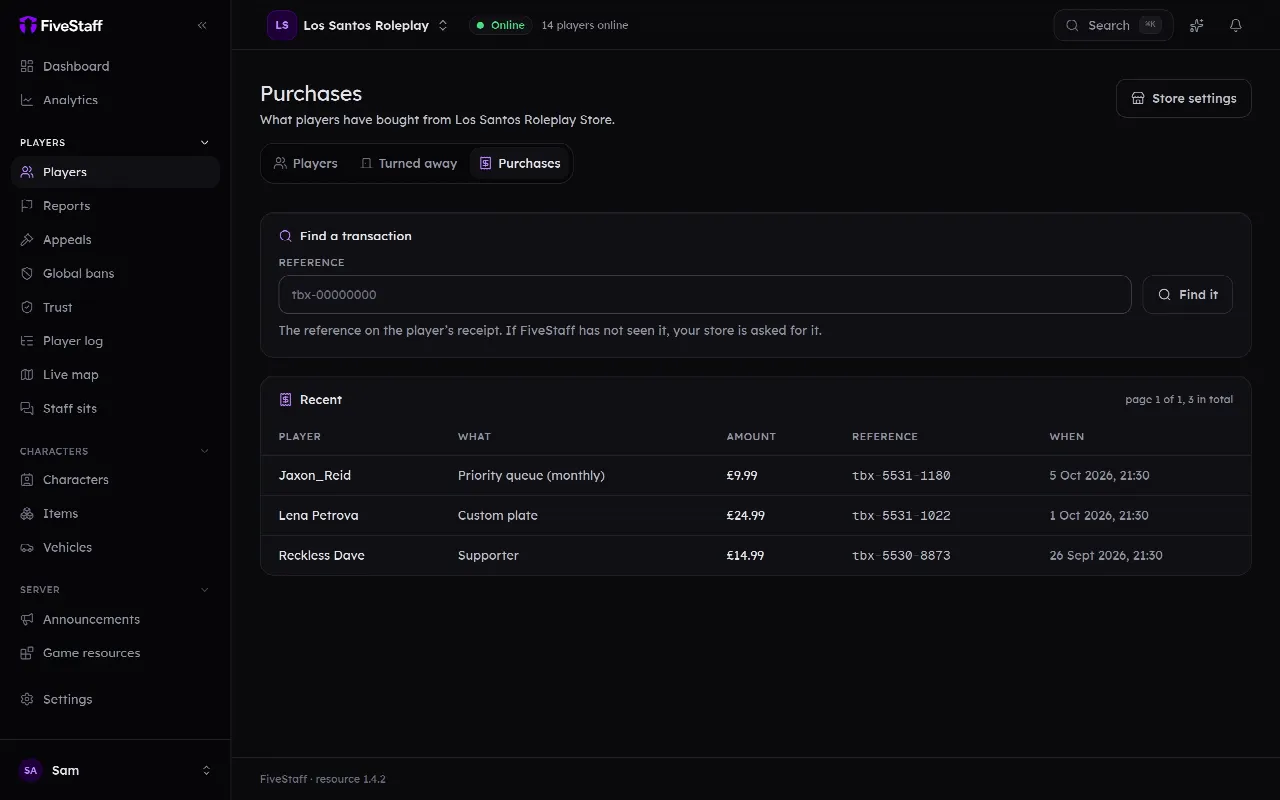
What they have spent, where your staff are deciding
Connect your store and a player's purchases sit on their record, beside their reports and their bans. A reference off a receipt finds the player it belongs to.
- Every sale on the record What was bought, what it cost and when — and whether the money stayed, so a refund or a chargeback shows as one.
- A reference finds the player Paste the reference off somebody’s receipt and it comes back with whose it is. Anything we cannot place is still kept and still searchable.
- It only ever reads FiveStaff cannot refund, re-run a command or change a package with your store key. There is no code in it that writes to Tebex at all.
- Context, not a defence The panel states what somebody bought and offers no opinion about it. It sits behind its own permission, so you choose who sees it.
All of it
Ten parts of the job, and a page on each
They are not add-ons and they are not separate products — one resource, one panel. Each has a page of its own, because a sentence on a home page is not enough to decide on.
- Players and records Everyone who has ever joined, and everything staff did about it.
- Reports A player types /report in game and your team picks it up in seconds.
- Live view and calls Watch a player's game as it happens, and talk to them.
- Staff tools in game Ban, warn and message from the game, with trust scores over every head.
- The staff toolbox One key in game, and the twenty things staff do fifty times a shift.
- Bans and appeals Bans that survive a new account, and appeals you can actually read.
- Trust score Who on your server needs a second look, before anybody complains.
- Discord Logs, slash commands and staff roles, in the Discord you already run.
- Mobile app Coming soon — the whole panel on a phone, with push and lock screen widgets.
- Player log and alerts What every player actually did, searchable, with alerts you write.
- Team and permissions Roles, trials, and a record of what each staff member did.
Before you install anything
The questions every owner asks us first
If yours is not here, ask it — the answer is usually a sentence and we would rather give it than have you find out after you have installed it.
What do my players have to install?
Nothing. It is one resource on your game server. Players use /report, and that is the only part of it they ever see unless staff call them.
Will it hurt my server's performance?
The resource is built to stay out of the way: it reads what is already there, batches what it sends, and does nothing per frame. Live view only does work while somebody is actually watching.
Does it work with my framework?
QBCore, QBox, ESX, ox_core, ND_Core, vRP and TMC, with your inventory resource detected separately — most servers do not run their framework's own. On a standalone server everything works except the framework-specific parts.
Who can see my players' data?
Your staff, by the roles you set. We keep it to run the service, we never sell it, and you can delete a server and take its data with it. The privacy policy spells out exactly who processes what.
What happens if FiveStaff goes down?
Your server carries on, and banned players stay out: the ban list is cached on your machine and shipped inside the resource. The panel catches up when it is back.
What does it cost?
Free to get started, with 30 days of history and no card. Pro is one price per server — unlimited staff, 12 months of history, live view and calls.
Still deciding? See what it costs or ask us in Discord.
Put your server on the record
Sign in with Discord, add your server, and drop one resource into it. Free to get started, and nothing to cancel if it is not for you.
No card · Free to get started · One resource