






Reports
From /report in game to a decision you can stand behind
A player reports somebody without leaving the server. Your team gets it in the panel, on the phone and in Discord, claims it so two people are not working the same one, and closes it with what they did written down.
- of shots, hits, deaths and crashes kept with every report
- 15 min: of shots, hits, deaths and crashes kept with every report
- screenshot of the reporter's screen, taken as they send it
- 1: screenshot of the reporter's screen, taken as they send it
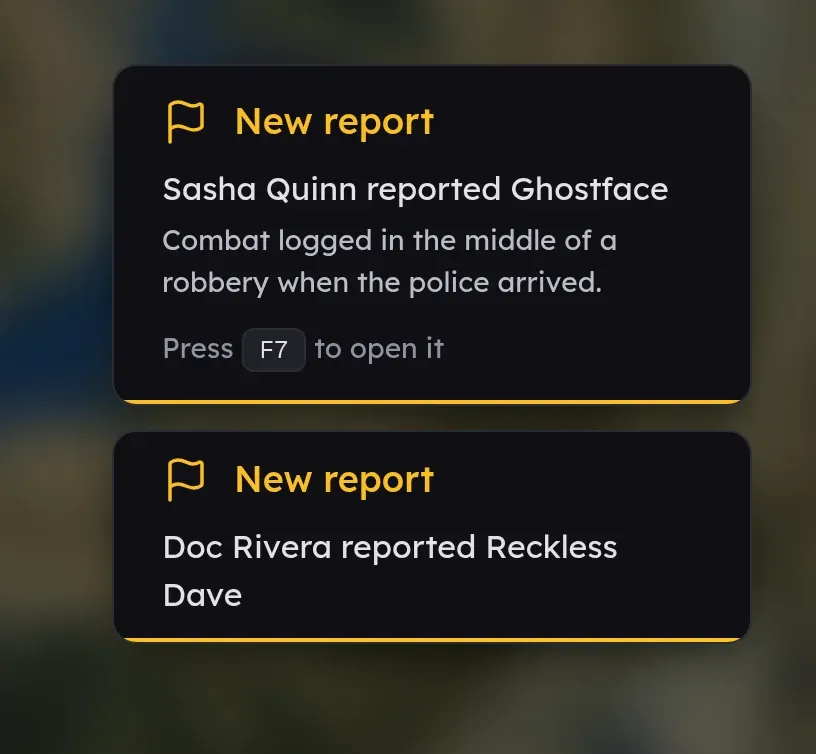
- opens a new report in game, from the card in the corner of a playing staff member's screen
- F7: opens a new report in game, from the card in the corner of a playing staff member's screen
The fifteen minutes before the report are kept with it
Where both players were, who shot whom, which vehicles were involved and what the reported player was doing. Not a screenshot of the aftermath — the run-up, so you can tell a ram from a crash.
A screenshot, taken the moment it was sent
Captured from the reporter's screen as they press send and attached to the report, so you see what they were looking at rather than a description of it.
Claimed, so nobody doubles up
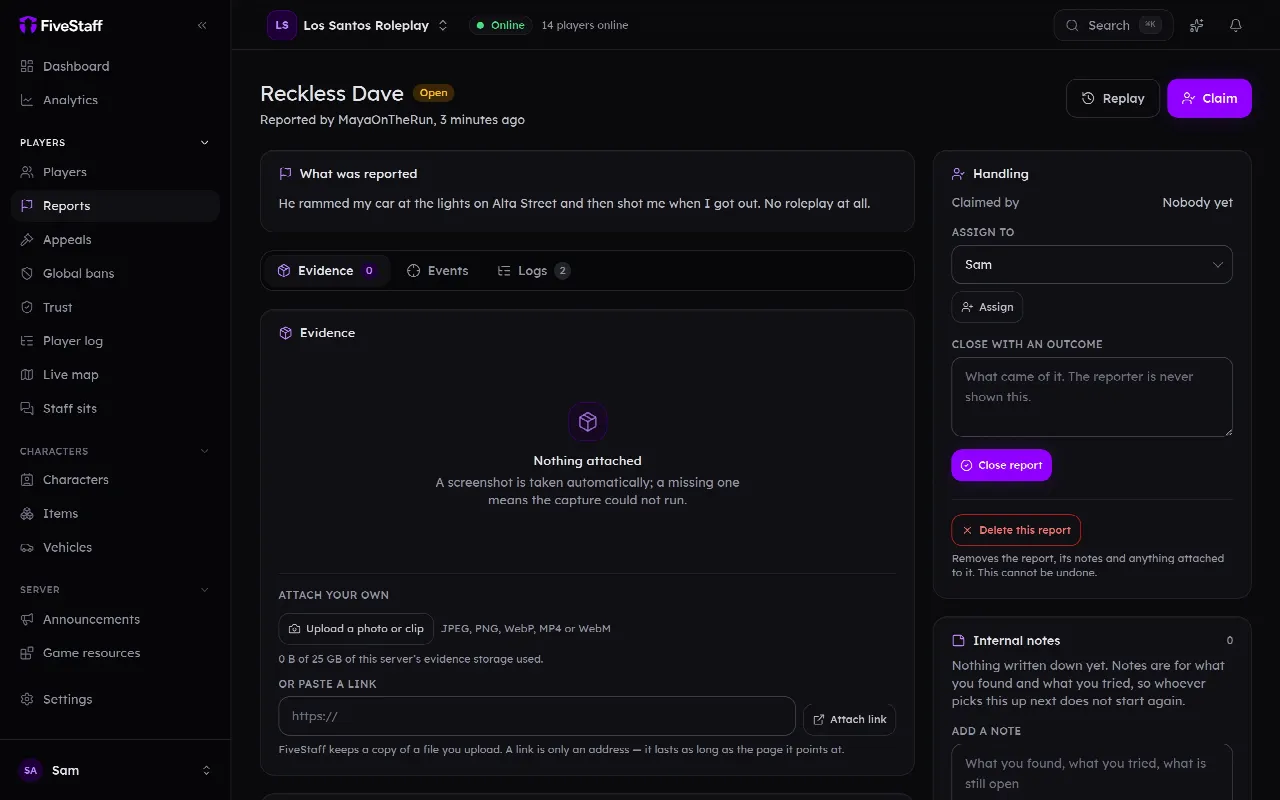
One member of staff holds a report at a time. Everybody else can see who has it and how long they have had it, which is most of what a shift handover needs.
Staff raise them too
Something you saw yourself becomes a report with the same evidence attached, so the thing you did about it sits in the same place as everything else, in the same order.
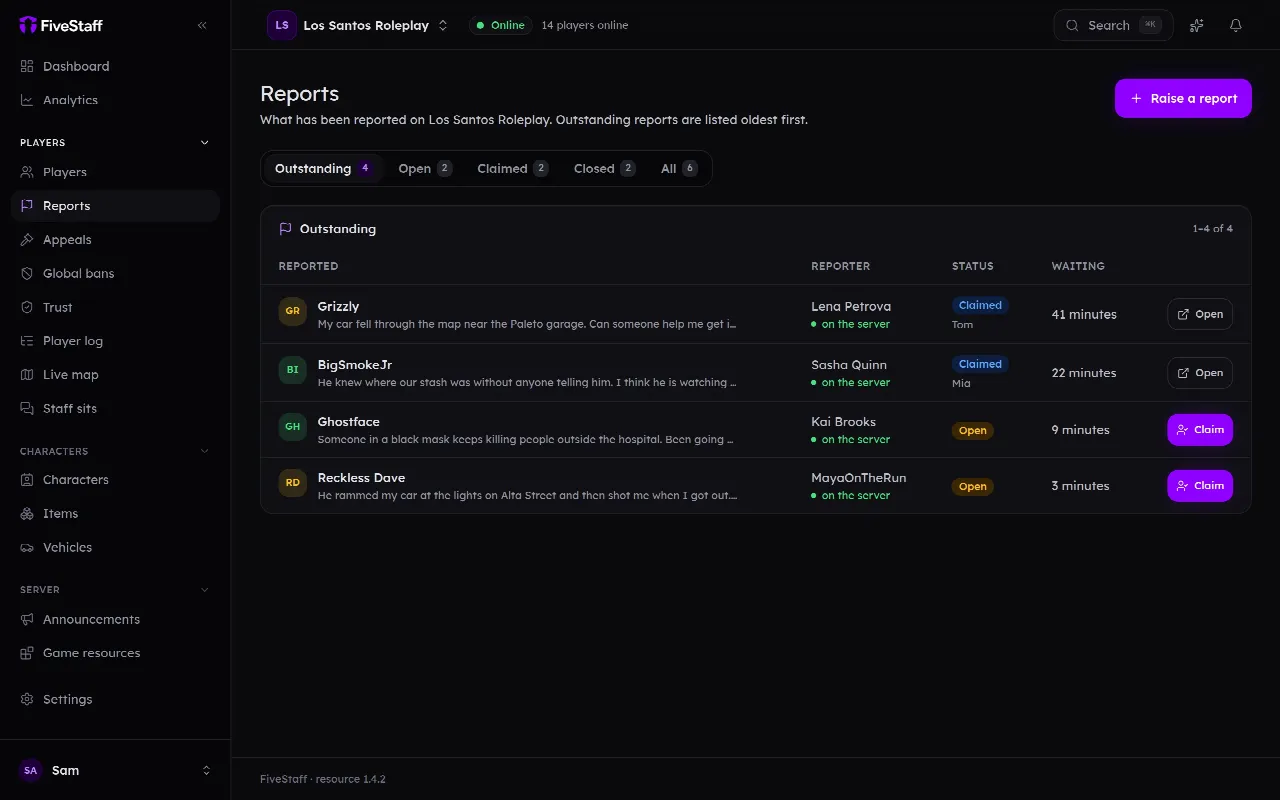
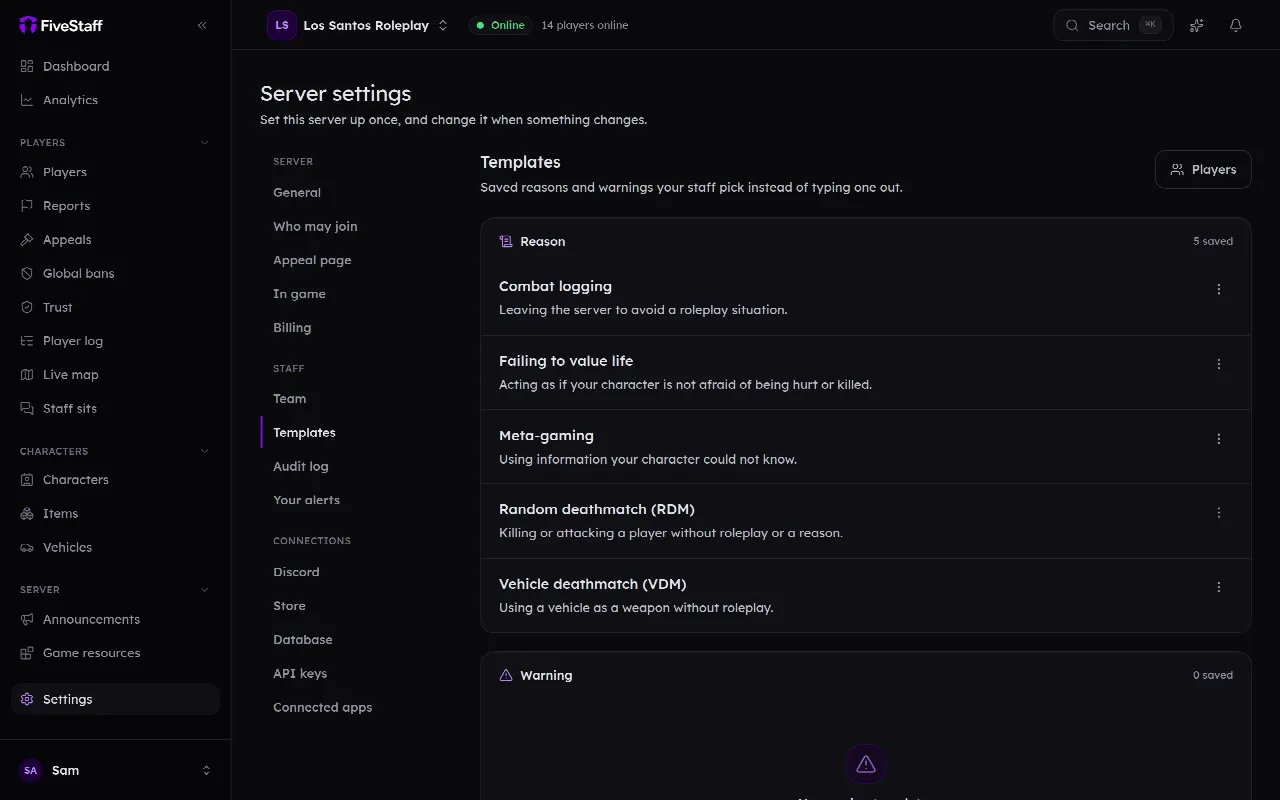
In the panel
A queue that tells you what happened before anybody asks
The report arrives with the run-up attached. Your team claims it, reads it, acts on it and closes it with what they did.

In game
What the player sees, and what your staff see
A player reports without leaving the server. Staff who are playing hear about it without leaving the scene they are in.
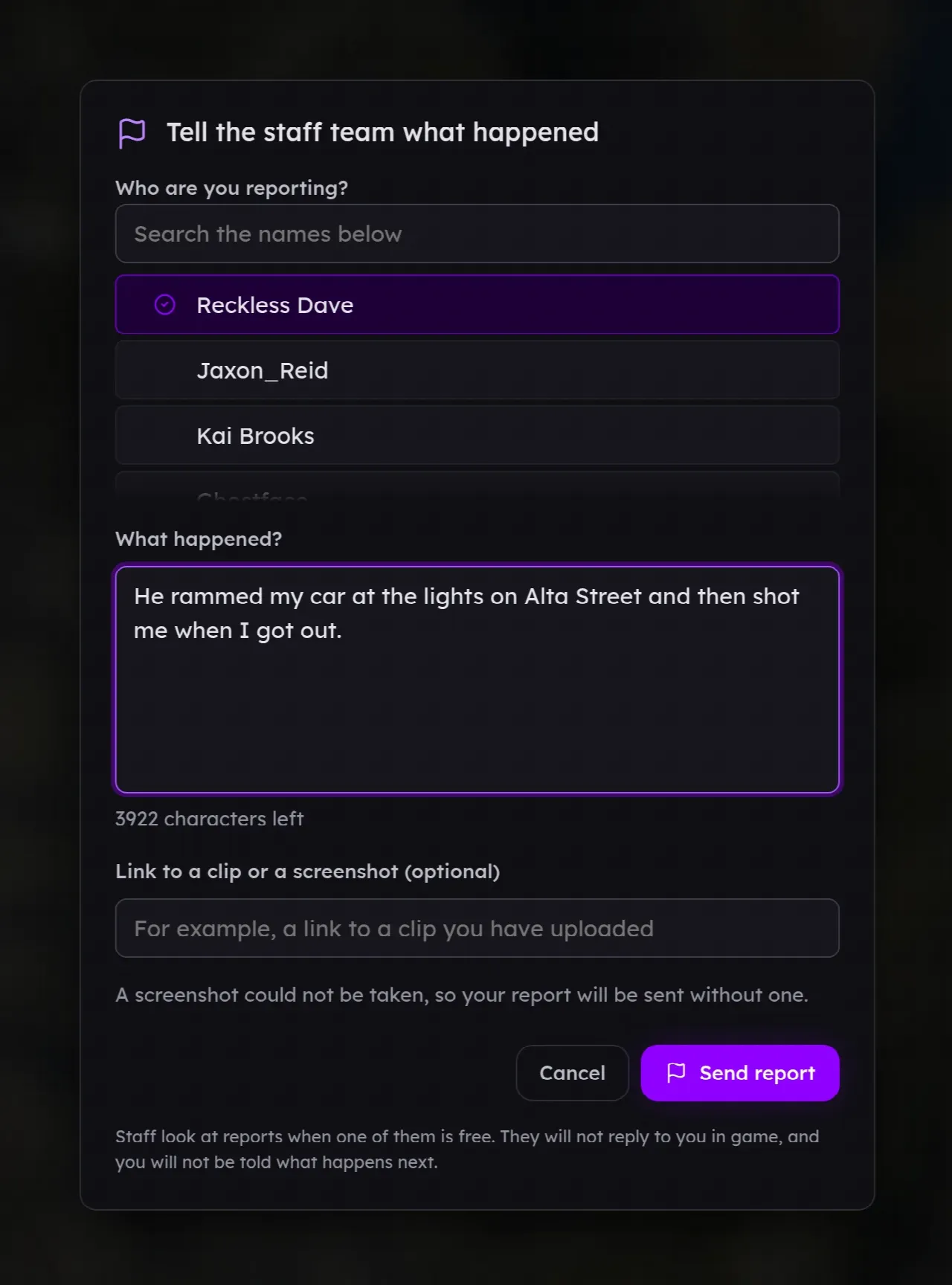
/report: pick who from the people online and say what happened
Commands
One command for players, one key for staff
Nothing to install for the player and nothing to learn for your team.
-
/reportOpens the report form for any player. One report every two minutes, so it cannot be used to flood your queue. - F7 With a new report card on screen, opens the panel in game straight on that report, ready to claim. Each staff member can choose their own key. View reports
-
/staff panelOpens the tablet in game, with every waiting report on its Reports tab. Use the in-game panel
From the first message to the last word on it
Everything a report can carry, and everything your team can do with it.
What arrives with it
- The player's own words and any clip link
- A screenshot of the reporter's screen
- Every shot, hit, death and crash in the 15 minutes before
- The reported player's log for the 10 minutes before
- A replay of where they were on the map
Handling it
- Claim it so nobody doubles up
- Hand it to another member of staff
- Notes only your team can read
- Upload photos and clips as evidence
- Close it with an outcome, or reopen it with a reason
Acting on it
- Note, commend, warn, kick or ban either player from the report
- Raise one yourself, about anybody
- Stop a player who misuses /report, for a time or until lifted
Wherever your team is
- A card in game for staff who are playing
- A post in your Discord with Claim and View buttons
- The panel updates by itself as they arrive
Questions people ask first
Does the player who reported see what we decided?
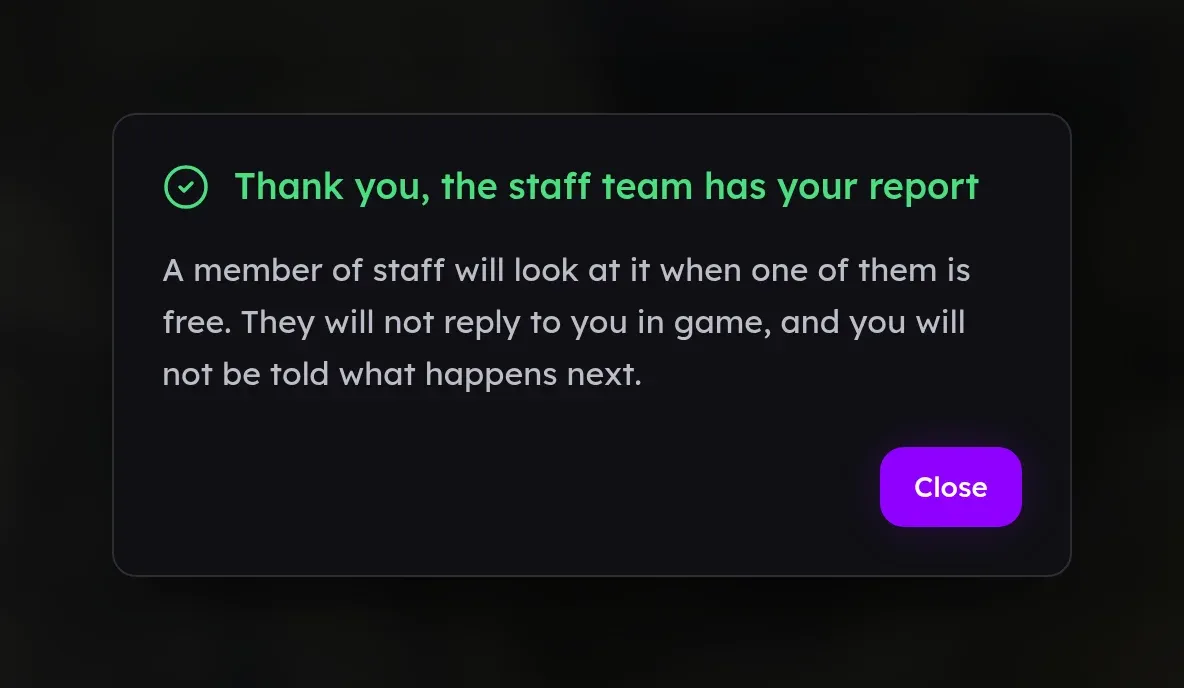
No. They are told your team has the report, and the outcome is for your staff. Nobody replies to them in game unless you choose to message them.
How long is the run-up kept?
The events and log entries are saved with the report, so they are still there long after the rest of the player log has gone. The map replay is offered for about an hour after the report.
How much evidence can we store?
Free allows 25 MB per file and 1 GB in all; Pro allows 100 MB per file and 25 GB. The report page shows how much is used.
What stops players spamming /report?
One report every two minutes per player, and any member of staff can stop a player reporting for a while, or until somebody lifts it.
All of it comes with the same install
There is nothing to add on and nothing per member of staff. The free plan seats 3 and keeps 30 days of history; Pro seats everybody, keeps 12 months, and adds live view and calls.
Next
Live view and calls
Watch a player's game as it happens, and talk to them.
Try reports on your own server
Sign in with Discord, add your server, and drop one resource into it. Free to get started, and nothing to cancel if it is not for you.
No card · Free to get started · One resource