






vRP
vRP admin panel and staff tools
vRP has no exports, so FiveStaff talks to it the way vRP talks
Everything else here publishes exports; vRP publishes a proxy over the server’s event bus, and that is its whole interface. A character is a user id, money is a wallet and a bank, and a job is a group — FiveStaff uses those words rather than pretending they are somebody else’s.
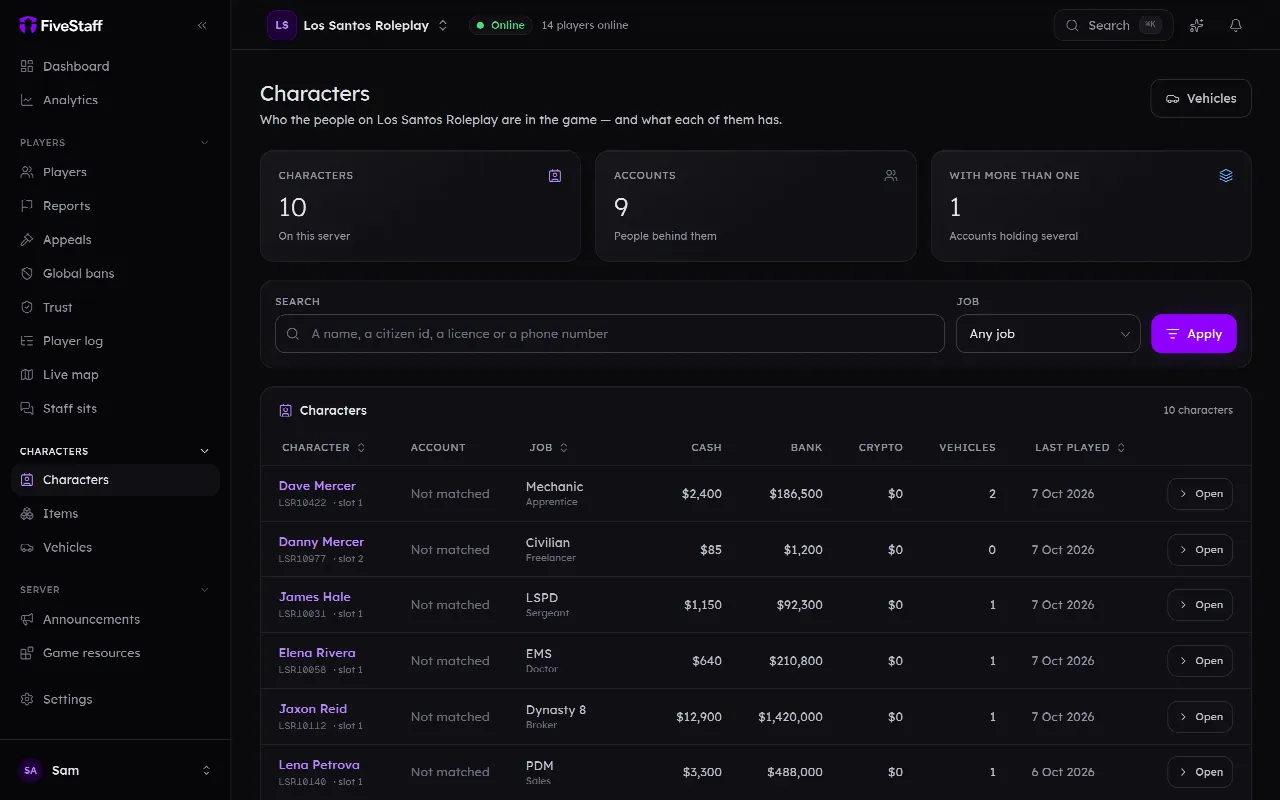
Shown on our demo server, which runs QBCore
What FiveStaff sees on vRP
- Characters by user id
- Money wallet and bank
- Jobs a group, while on the server
- Items no item metadata
- Vehicles no plates to name one by
Framework data
What FiveStaff reads and changes on vRP
What FiveStaff reads
- The user id behind a source, which is vRP’s identifier for a character
- Wallet and bank, out of vrp_user_moneys, online or not
- The job group of a character who is on the server
- The inventory, item by item, online or not
What staff can change
- Set an item count
- Set a wallet or bank balance
- Put a character who is on the server into a job group
Every one of these goes through the same pipeline as a ban: permission-checked and written to the audit log with what it was before. Item, money, job and vehicle edits can be put back in one press from the player’s profile.
What your staff can do
Run a vRP server from one panel
Everything below works from the web panel, from Discord and, for staff who are playing, in game. Each power is its own permission, so you choose who gets which.
Characters and the economy
Every vRP character by user id, with their wallet, bank and inventory. Staff set balances and item counts, and put somebody who is on the server into a job group.
- Edit inventories
- Edit money
- Edit vehicles
- Edit jobs
Players and records
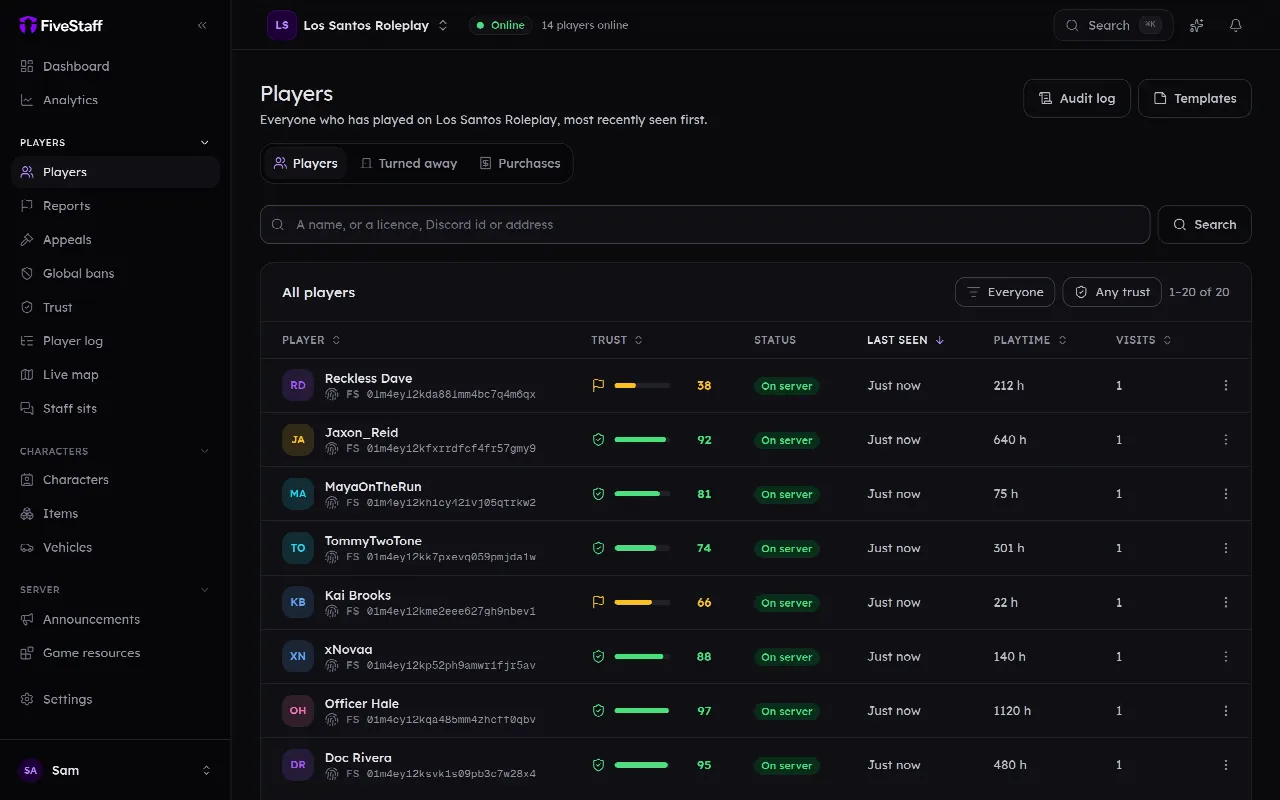
Everyone who has ever joined, and everything staff did about it.
Player log and alerts
What every player actually did, searchable, with alerts you write.
Live view and calls
Watch a player's game as it happens, and talk to them.
Reports
A player types /report in game and your team picks it up in seconds.
Bans and appeals
Bans that survive a new account, and appeals you can actually read.
Staff tools in game
Ban, warn and message from the game, with trust scores over every head.
Discord
Logs, slash commands and staff roles, in the Discord you already run.
In the panel
The screens your staff will use
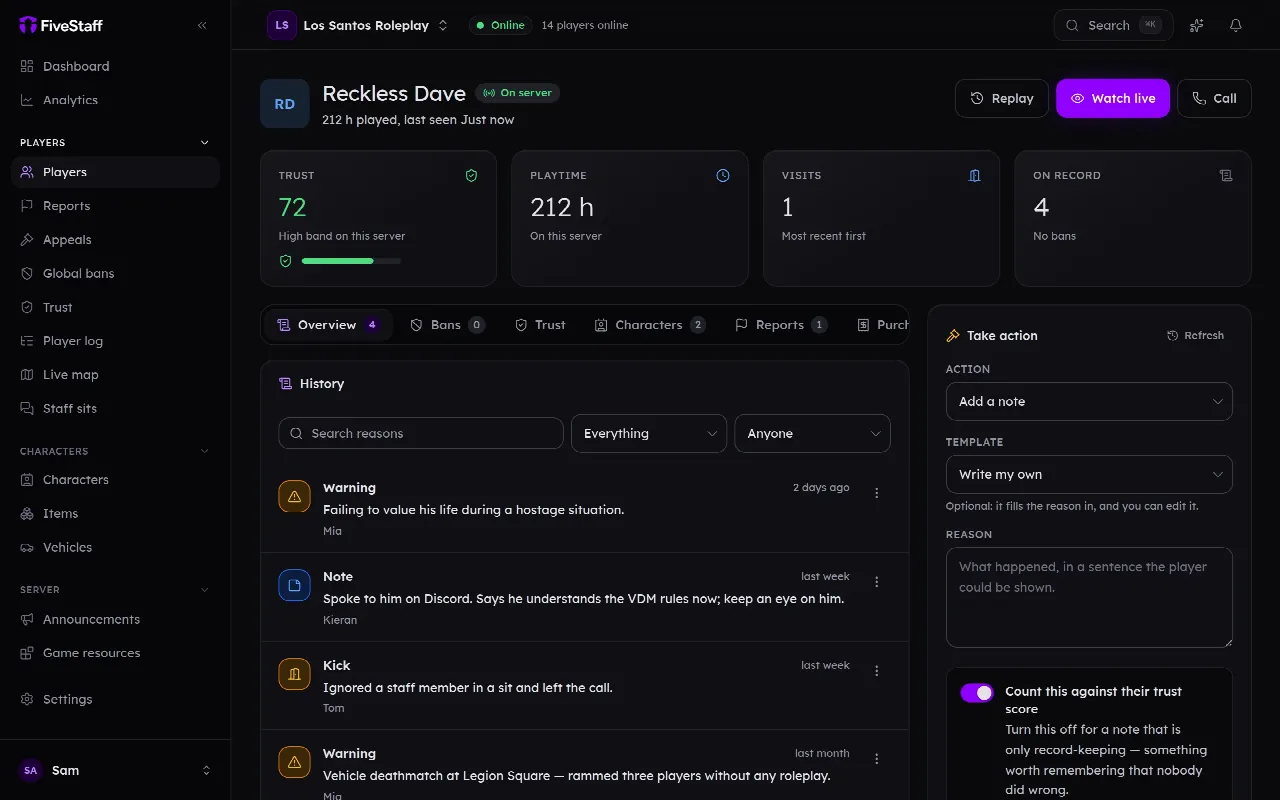
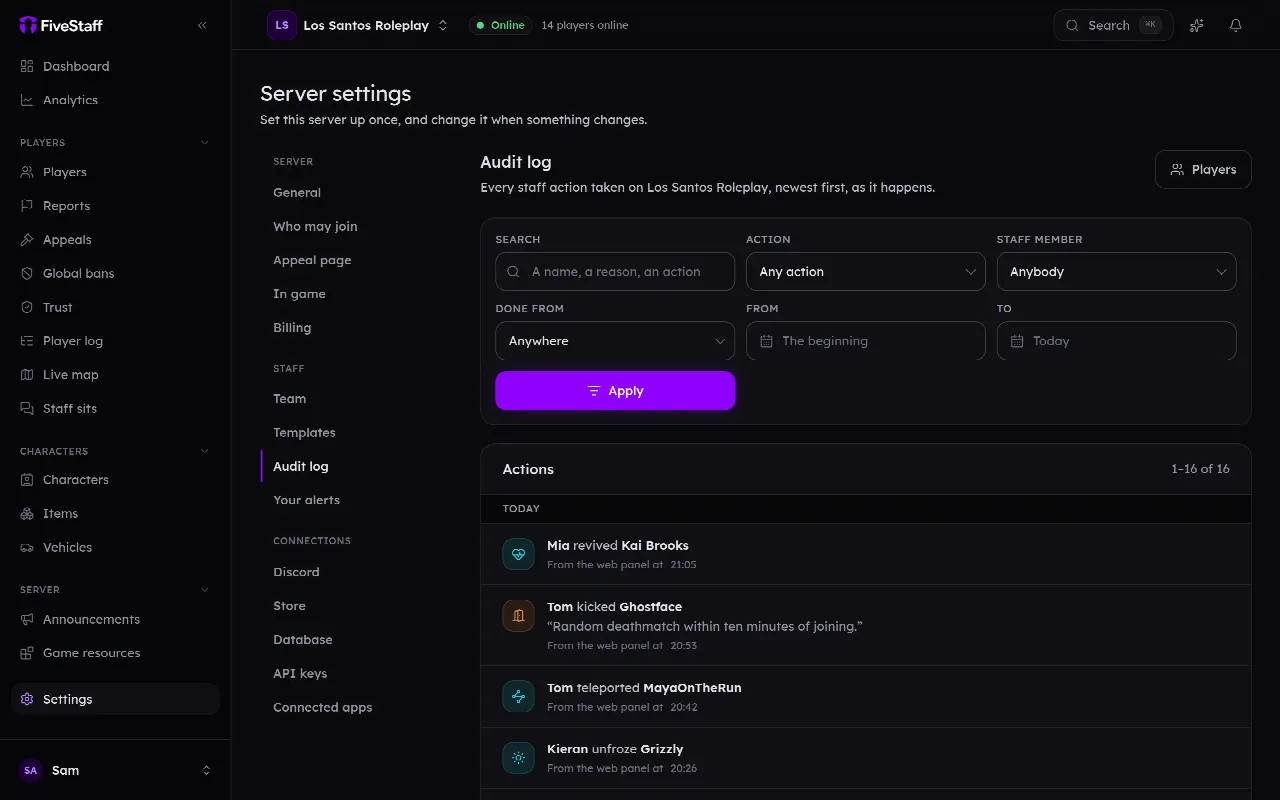
Real screens from the panel, taken on our demo server, which runs QBCore. On yours, the accounts and jobs are vRP’s own.
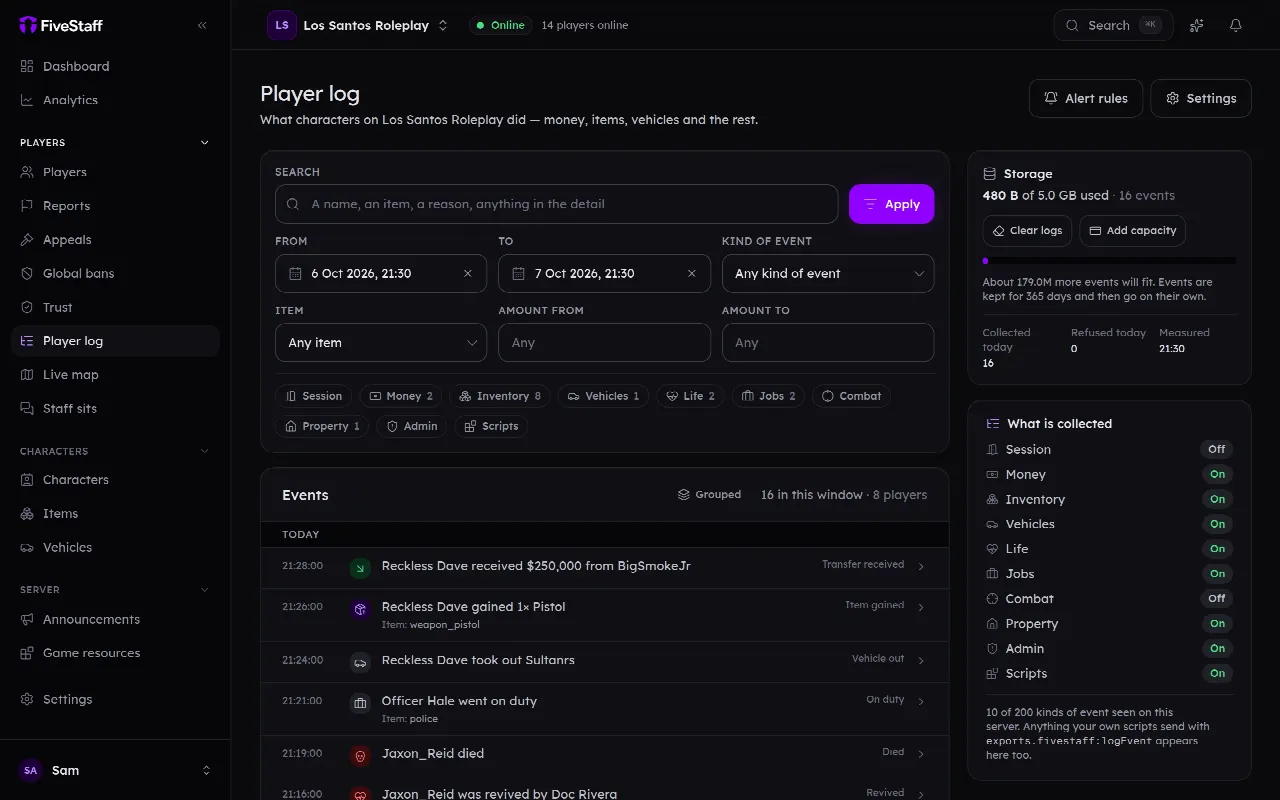
Player log
What the player log picks up on vRP
vRP announces nothing FiveStaff can listen for, so the log starts with what every server gets — and anything your own scripts send it.
On every server
- Joins and leaves
- Deaths and kills, from the game itself: how, by whom and with what
- txAdmin’s scheduled restarts and shutdowns, and resources stopped or started by hand
- Every line your scripts already send to qb-log, kept word for word
- Your own events, with one line of Lua: exports.fivestaff:logEvent
-- one line, and it is searchable by item and amount
exports.fivestaff:logEvent(source, 'drugs.weed.sold', {
    item = 'weed_brick', amount = 5, price = 2500
})
The log is off until you switch it on, and a category you leave off costs your server nothing. The player log and alerts
Your resources
The scripts it works with on vRP
A server picks its inventory, its ambulance job and its clothing separately from its framework. FiveStaff looks for what is actually running and works through it.
Heal and Revive
Revive goes through your ambulance script, so its own death screen and timers are cleared too, rather than a player being stood up the script still thinks is dead.
-
qbx_medical -
qb-ambulancejob -
ps-ambulancejob -
esx_ambulancejob -
wasabi_ambulance -
wasabi_ambulance_v2 -
tk_ambulancejob -
sky_ambulancejob -
brutal_ambulancejob -
osp_ambulance -
p_ambulancejob -
plt_ambulance_job
The small print
Where vRP is different
The details a tool gets wrong when it treats every framework as the same one, and what FiveStaff does instead.
No owned vehicles, and no job for somebody offline
vRP records that a character owns “an adder”, not a particular car, so there is no plate to show your staff or to take one away by — the vehicle screens say vRP does not offer this rather than inventing one. Which group counts as a job only exists in the running framework’s memory, so a job is read and set for a player on the server and not for one who is offline. Groups have no grades, so a grade above nought is refused.
Items carry no extras
vRP keeps an inventory as a list of item names and amounts, with nowhere to put anything else. An edit that would need item metadata — a serial number, a durability — is refused rather than saved without it.
An identifier that is a number
An offline edit on a vRP server names a character by its user id rather than a citizen id or a licence. The panel shows it as vRP shows it, so what you read here matches what you would read in your own database. FiveStaff is written for vRP 1, which is what nearly every vRP server runs; vRP 2 publishes almost nothing over its proxy.
Install
Put it on your vRP server
One resource, a few lines in server.cfg, and no changes to your framework or your scripts.
-
1
Add your server
Sign in to the panel with Discord, press Add server, give it a name and choose a plan.
-
2
Download the resource
On your server’s dashboard, press Download the resource. The fivestaff folder inside already holds your server key, so there is nothing to fill in.
-
3
Add it to server.cfg
Upload the folder to your resources, keeping its name exactly fivestaff, and add the lines opposite anywhere after vrp starts.
-
4
Restart and check
Restart, or type ensure fivestaff in the server console. Within seconds the dashboard says Online. FiveStaff finds vRP from the vrp resource, and talks to it over the proxy vRP already publishes to other resources.
-
5
Connect your game database
Under Settings, Database, connect a read-only database user and choose Other as the table layout. Pick vRP’s tables yourself on any plan, or let FiveStaff work them out on Pro, and confirm before anything is read.
ensure fivestaff

# lets FiveStaff update itself, and staff start and stop resources
add_ace resource.fivestaff command.restart allow
add_ace resource.fivestaff command.start allow
add_ace resource.fivestaff command.stop allow
Only if it guessed wrong
Most servers never need these. They go above ensure fivestaff.
set fivestaff_framework "vrp"When FiveStaff starts, the server console says which framework and inventory it is using. Try one edit on a test character before your staff use it on a player.
Why staff use it
Built for the people who keep a vRP server fair
A record of every player, a log of every action, and powers handed out one at a time.
One record for every player
Whichever character somebody is on, their warnings, bans, reports and notes sit on one profile, and a ban checks every identifier they connect with — so a new account is not a fresh start on your vRP server.
Nobody needs in-game admin
Your team is a list in the panel. Staff act from the panel, from Discord or in game with /staff, and you hand out no ace permissions to make that work.
Each power is its own permission
Edit money, Edit inventories, Edit vehicles and Edit jobs are separate permissions, so a trial moderator can read the player log without being able to set a balance.
Every change has a before
The audit log records who did what and what it was before, and item, money, job and vehicle edits can be put back in one press.
Questions people ask first
Which version of vRP does it support?
vRP 1, which is what nearly every server running vRP has. vRP 2 publishes almost nothing over its proxy, so FiveStaff would find its questions unanswered.
Why can’t staff see a player’s vehicles?
vRP records that a character owns a model, not a particular car with a plate. There is no honest plate to show or to take a car away by, so the vehicle screens say vRP does not offer this.
Can staff change a job?
For a player on the server, yes: they are put into the job group, and vRP takes them out of the one they had. Groups have no grades, and which group counts as a job is only known while the server runs, so an offline character has no job to change.
Does vRP need changing?
No. FiveStaff asks vRP over the proxy it already publishes, and reads its tables through your MySQL resource for players who are offline.
Does everything else work?
Yes. Records, in-game reports, warnings, kicks, bans and appeals, live view and calls, the trust score, the player log and the Discord bot do not depend on the framework.
Running something else?
Each framework has a page of its own, in its own words.
Point it at your vRP server
Sign in with Discord, add your server, and drop one resource into it. Free for 3 staff, and nothing to cancel if it is not for you.
No card · 3 staff free · One resource