






In game
Moderate from inside the server, not beside it
Your staff are playing when things happen, so the tools are in the game with them. One command for everything, a window for each job, a tag over every head saying who has a history, and new reports that reach them mid-scene.
- staff commands, all under one /staff
- 9: staff commands, all under one /staff
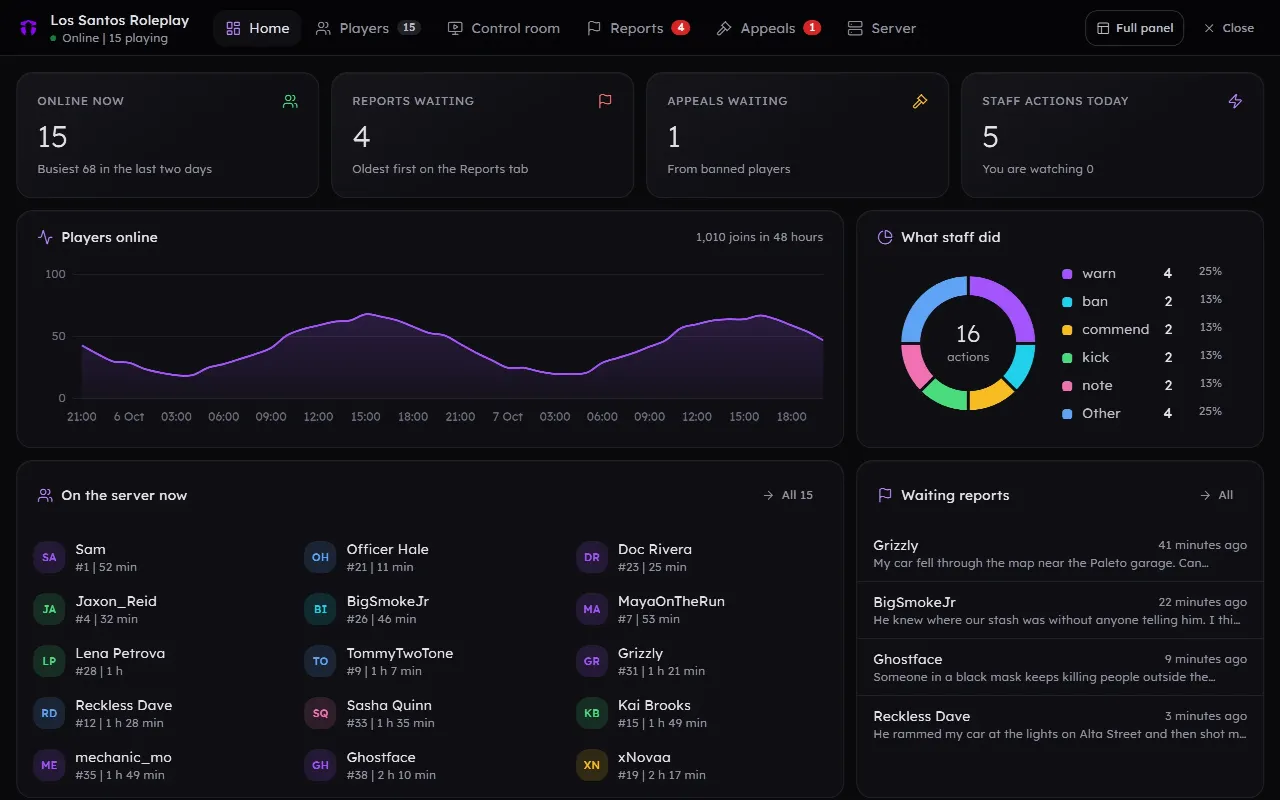
- tabs on the tablet: home, players, control room, reports, appeals and the server
- 6: tabs on the tablet: home, players, control room, reports, appeals and the server
- around your camera, every player wears a tag with their trust and record
- 40 m: around your camera, every player wears a tag with their trust and record
- approval, the first time. After that /staff panel signs you straight in
- 1: approval, the first time. After that /staff panel signs you straight in
One command, and a window for each job
/staff ban, kick, warn, mute and message each open a small window: pick the player by the number over their head or from the list, give the reason and how long. Or type it in one line. Your roles decide who can do what, exactly as in the panel.
Who has a history, over their head
/staff overlay on puts a tag over every player near you with their trust score and their last few warnings, kicks and timeouts. The regular troublemaker in a crowd is obvious before anybody says a word.
New reports reach you mid-scene
A report arrives as a card in the corner of every playing staff member's screen. One key opens the panel straight on it, in the game, ready to claim.
Sits, timeouts and the car they are in
Take players aside to a staff sit nobody else can see, hold a rule-breaker in staff timeout that leaving cannot dodge, and repair, flip or delete the car somebody is sitting in, all on the record.
The tablet
The panel, built for the game
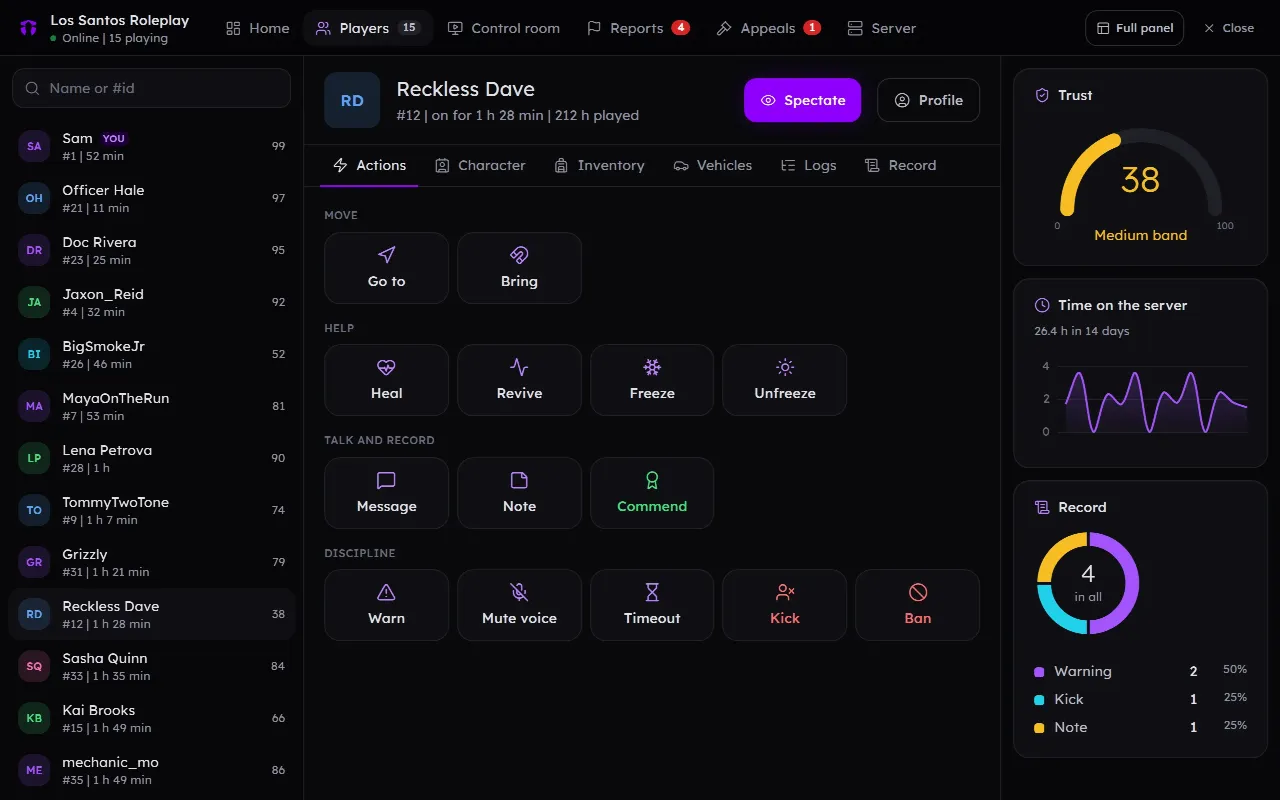
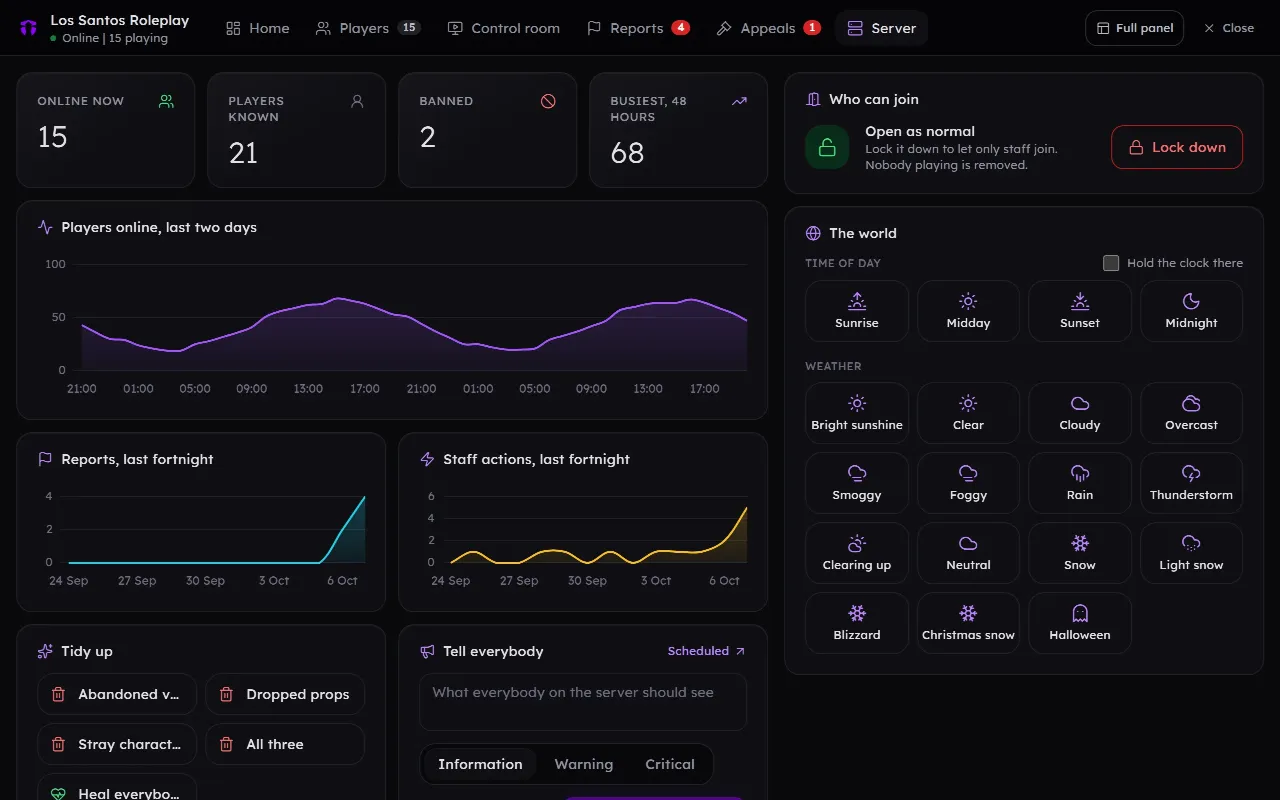
/staff panel opens a tablet over the game. The game keeps running behind it, and Full panel is there when you need the rest.

The windows
A window for each job, all of them alike
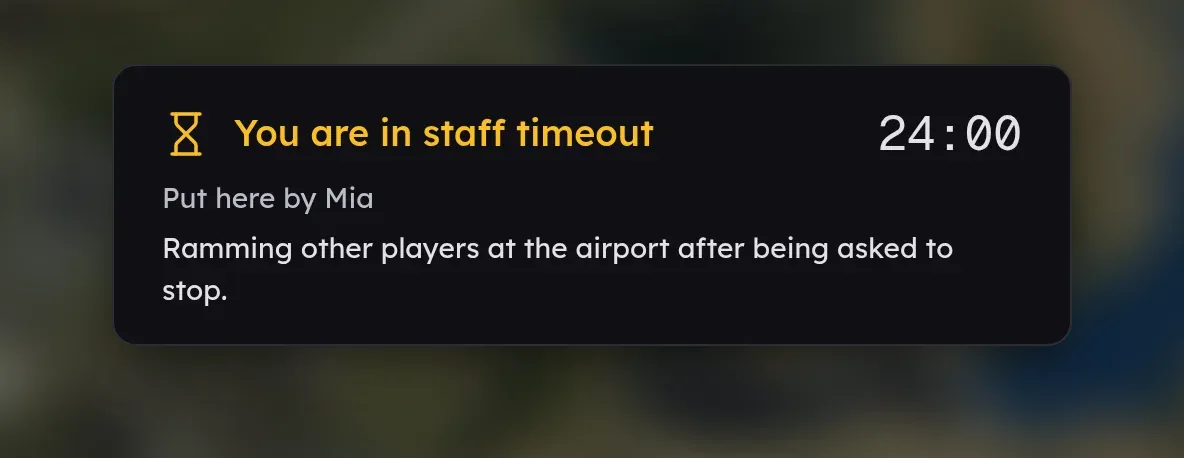
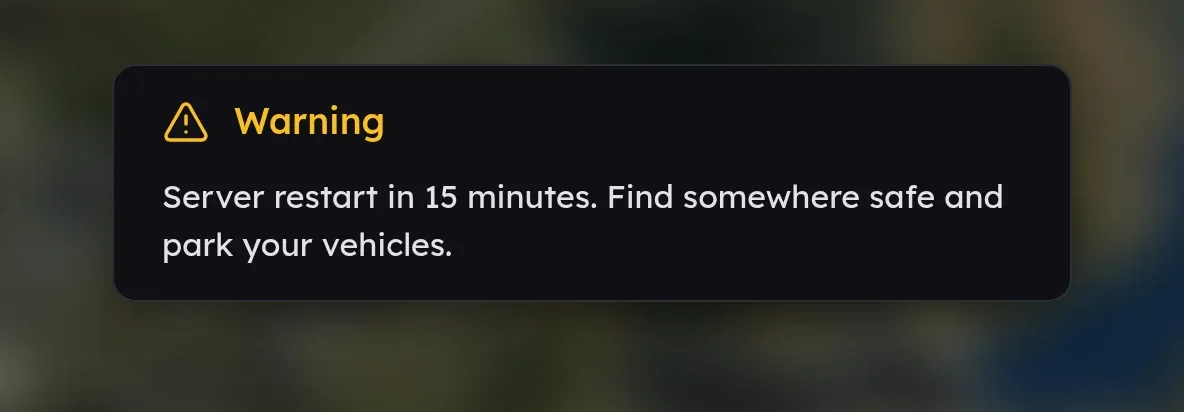
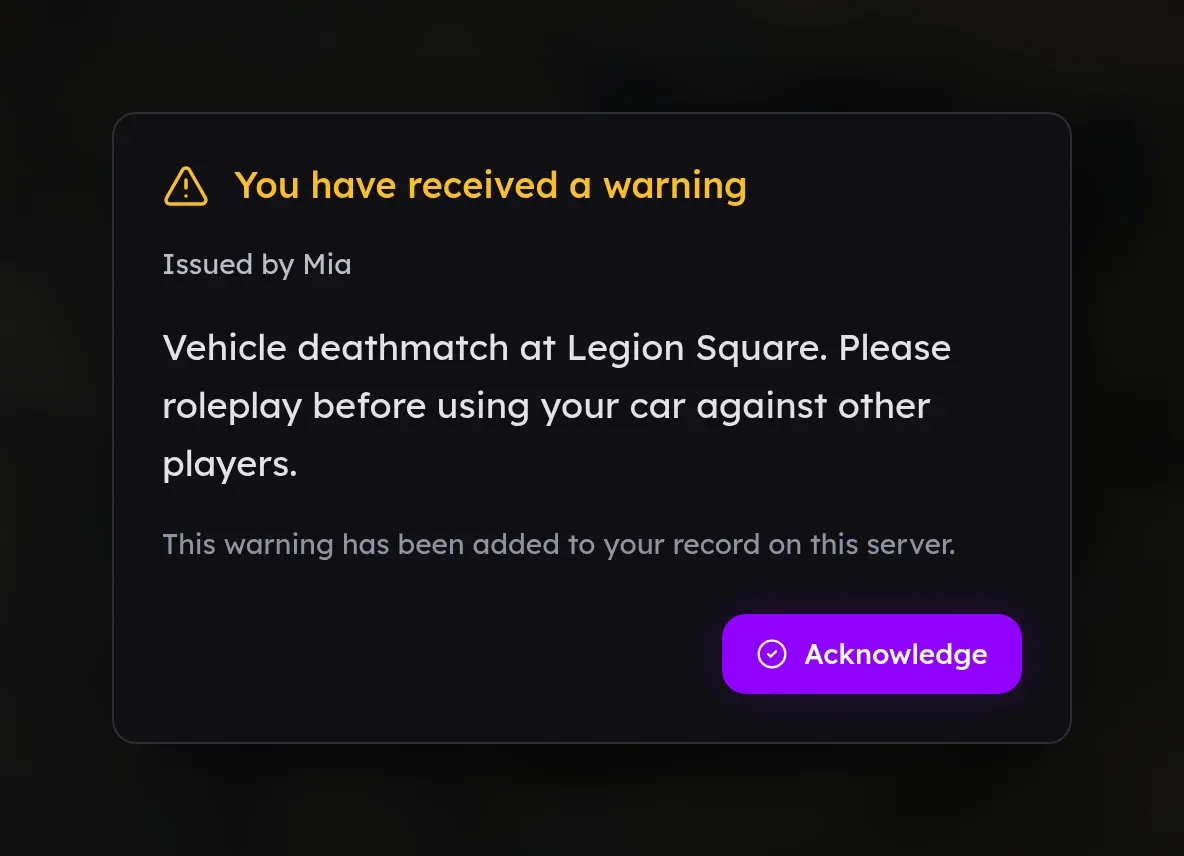
Type the command on its own and a small window opens over the game: who, why, how long. Every one looks the same, so there is nothing new to learn.
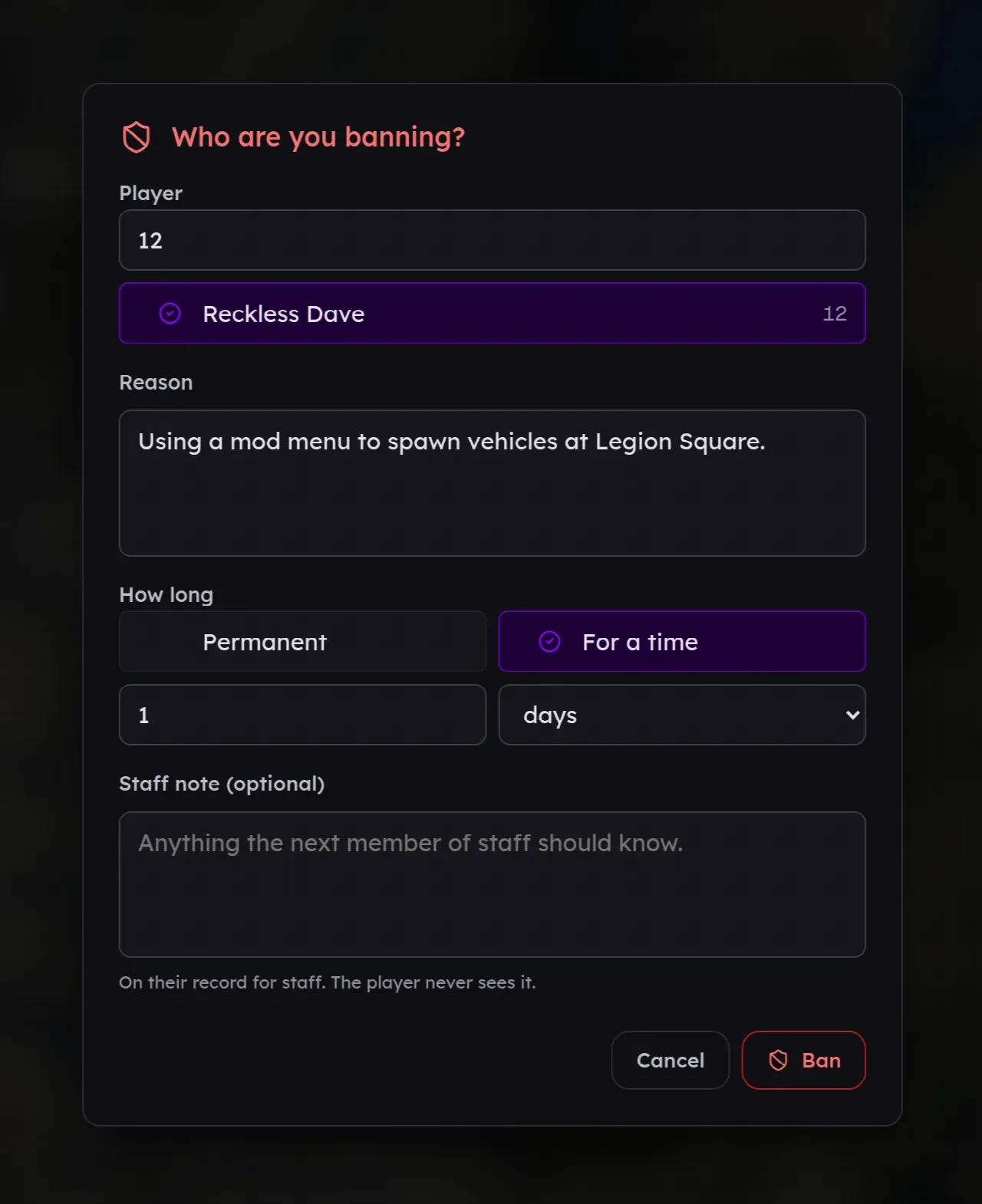
/staff ban
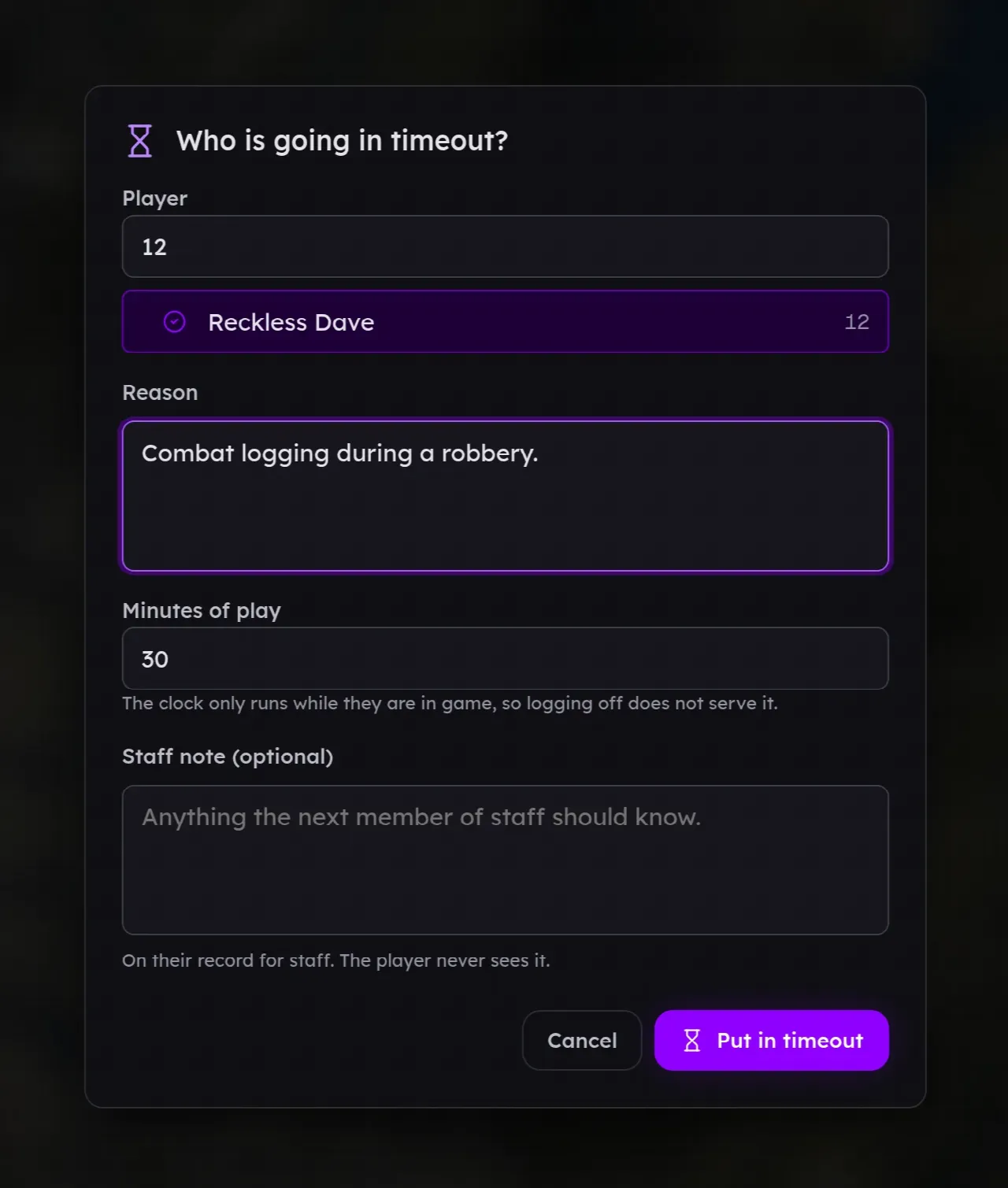
/staff timeout
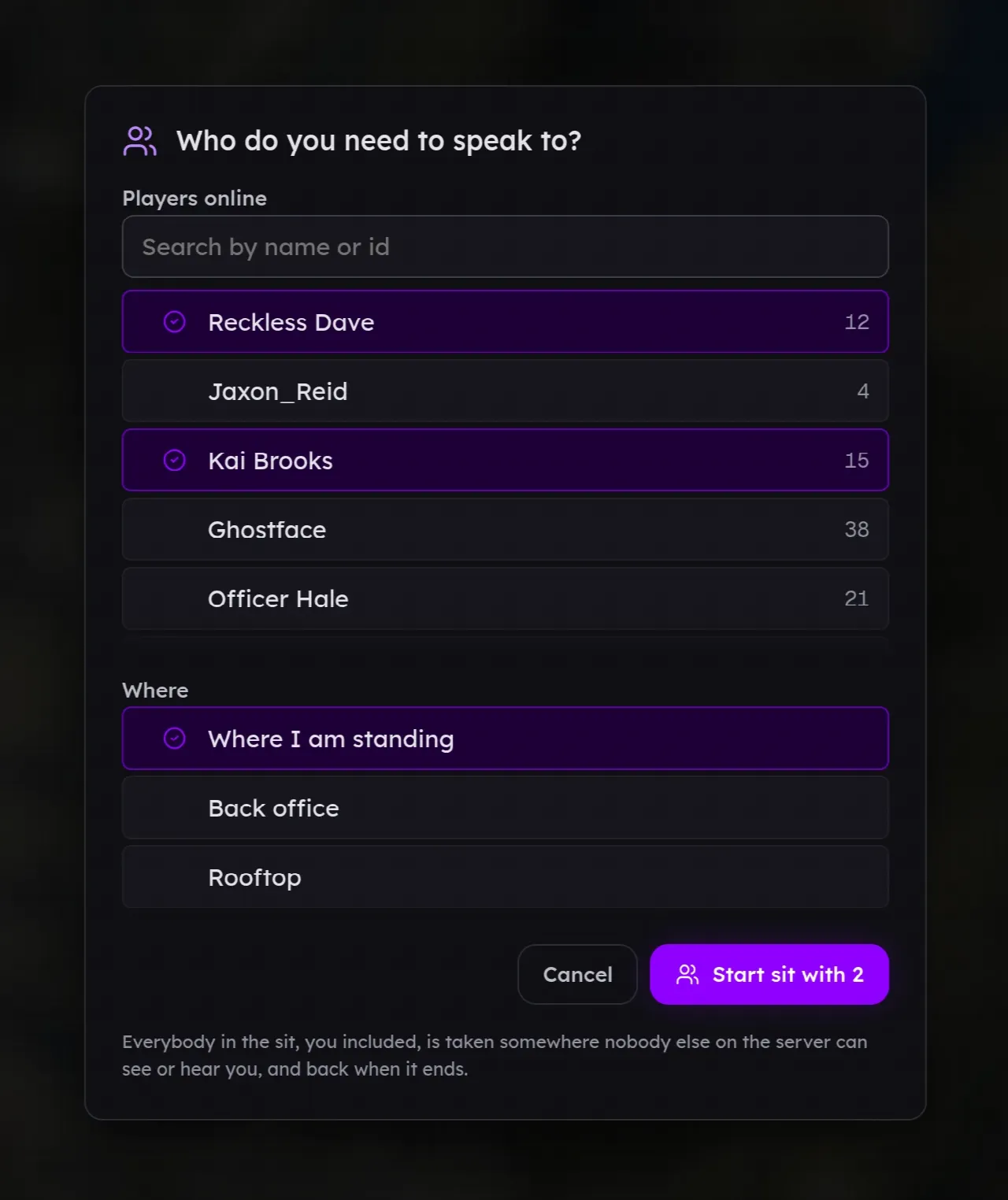
/staff sit
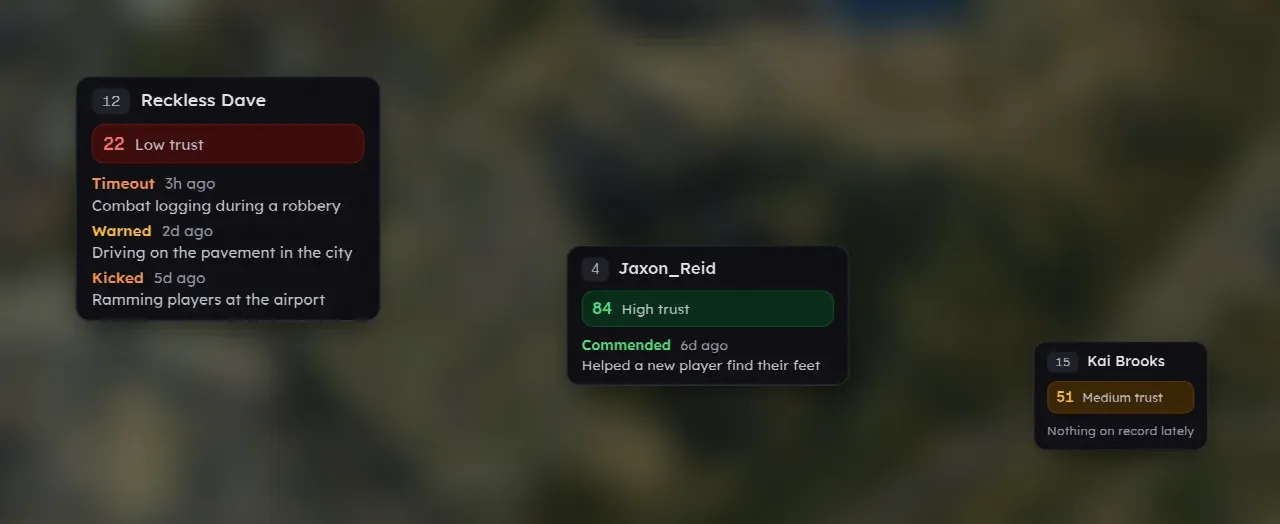
/staff overlay on
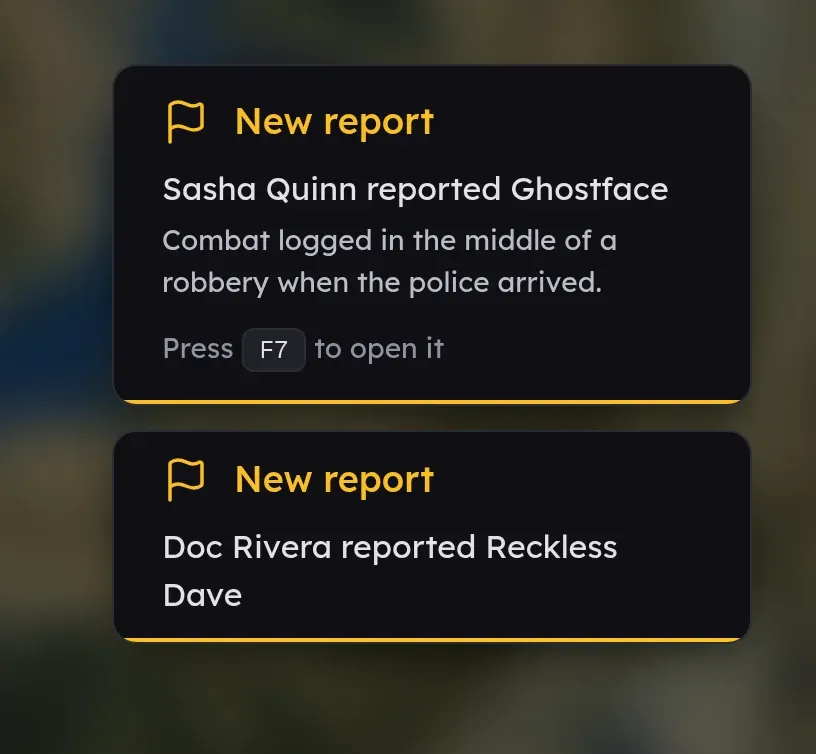
Commands
Everything under one command
On its own, each one opens a window. Typed in full, it does the job in one line. Either way your roles decide who can use it, exactly as in the panel, and it lands in the audit log marked as done in game.
-
/staff panelOpens the tablet over the game Use the in-game panel -
/staff banBans a player, for a time or for good Ban for a set time, or permanently -
/staff kickRemoves a player from the server Kick players -
/staff warnA warning they must acknowledge Warn players -
/staff muteMutes their voice chat, for a time or until lifted Mute and unmute voice chat -
/staff messageA private message to one player Message a player privately -
/staff timeoutHolds them in staff timeout. Leaving does not dodge it Put players in staff timeout -
/staff sitTakes players aside to a staff sit Hold staff sits -
/staff overlayTags over nearby heads: trust score and recent record View players
Typed in full
- /staff ban 12 Using a mod menu 7d
- /staff warn 12 Please stop driving on the pavement
- /staff mute 12 Music over voice chat 2h
- /staff timeout 12 30 Combat logging
- /staff overlay on
Lengths are written 30m, 12h,
3d, 2w,
6mo or 1y.
A ban with none is permanent.
What staff can do without leaving the game
All of it goes through the same checks as the panel. A role that cannot ban is told so before any window opens.
On a player
- Go to and Bring, anywhere on the map
- Heal, revive, freeze and unfreeze
- Message, note and commend
- Warn, mute, time out, kick and ban
- Spectate, and add them to the control room
In their game data
- Set their job and grade
- Give or take money in any account
- Give, top up or take away items
- Give, transfer, re-plate or delete vehicles
On the server
- Lock it down to staff, and open it again
- Time of day, held if you like
- Weather, including snow and Halloween
- Clear abandoned vehicles, props and stray characters
- Heal everybody, and announce to everybody
Seeing who is who
- Trust and recent record over every head nearby
- New reports as a card, with a key to open them
- Who is muted, in timeout or being watched
- Several live pictures side by side in the control room
Questions people ask first
How does the tablet know it is me?
The first time you type /staff panel, your account page in the panel asks you to approve that game account. After that, /staff panel signs you straight in from that game account and nobody else's.
Another script already uses /staff. Can we rename it?
Yes. One line in server.cfg gives every FiveStaff command a different name, such as /fsstaff.
Can we change the key that opens a new report?
Each member of staff can rebind it in FiveM's key bindings, and you can set the starting key for your whole server in server.cfg.
Does a trial moderator get the same tablet as an admin?
They get the same tablet with only what their role allows. A tab, a button or a length of ban their role cannot use is simply not offered.
All of it comes with the same install
There is nothing to add on and nothing per member of staff. The free plan seats 3 and keeps 30 days of history; Pro seats everybody, keeps 12 months, and adds live view and calls.
Next
The staff toolbox
One key in game, and the twenty things staff do fifty times a shift.
Try staff tools in game on your own server
Sign in with Discord, add your server, and drop one resource into it. Free to get started, and nothing to cancel if it is not for you.
No card · Free to get started · One resource